
Business Tools · Client Portal & CRM
A portal where clients send requests and see where things stand
Each client gets a login and their own board. They post requests, add files and links, answer your questions and see when work is done. Your team runs every client from one place, with no inbox archaeology.
What it replaces
Fewer logins, fewer monthly bills
- Long email threads with clients
- Spreadsheets of open requests
- Per-user CRM subscriptions
- "Any update?" phone calls
What it does
Everything your team needs, nothing it doesn't
A board per client
Every client has their own space, tabs for each company and the stages your process uses.
Requests from clients
Clients add tasks with a description, urgency, deadline, links and notes.
"We need more information"
Ask the client a question on a task; they get an email and reply in the portal, and the task is flagged until they do.
Done and notify
Mark a task done and the right person at the client is emailed automatically.
Activity reports
A spreadsheet of everything done for a client over any period, ready for a review meeting or an invoice.
Each client in their colours
Per-client colours and layout, so the portal feels like part of the service.
Screens
See it in use
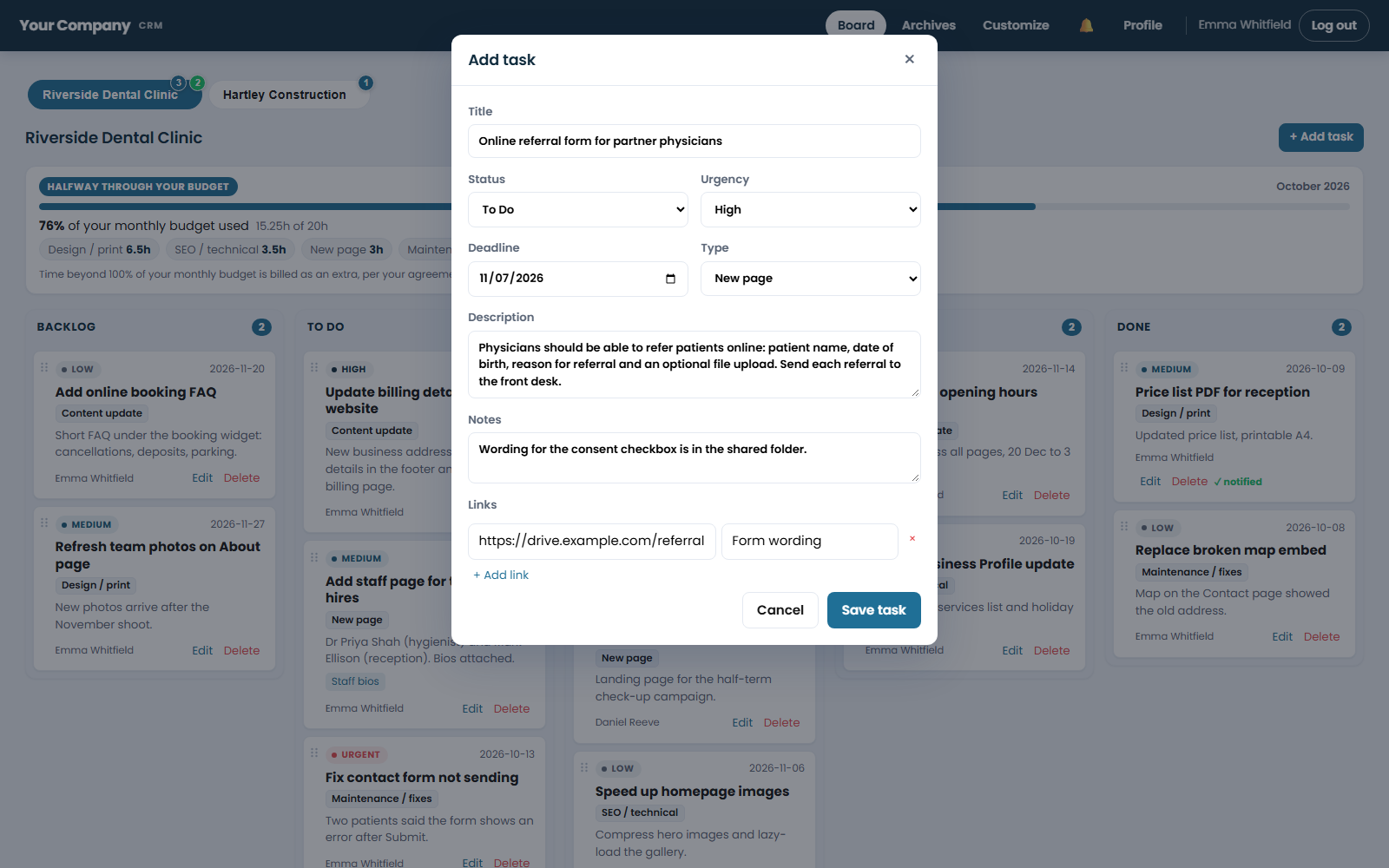
How it works
Up and running in days, not months
A free demo
We show you the tool with sample data and agree what your business needs.
Set up for you
Your name, logo and colours, your team's accounts and your way of working.
Your team is trained
A short session so everyone is comfortable from day one.
We look after it
Updates, backups and help when you need it, on a fixed monthly care plan from $149.
More business tools
Works on its own, or alongside the others
Team Workspace
Tasks, team chat and calls in one private place.
See Team WorkspaceInvoicing
Monthly invoices drafted for you, sent only after you check them.
See InvoicingWin more clients
Marketing Tools
Tools that bring clients to you: what people ask about your field, your Google health and what the web and AI tools say about you.
See Marketing ToolsFAQ
Questions about Client Portal & CRM
Can each client only see their own work?
Yes. A client login only ever shows that client's board and tasks.
Can we track time or budget per client?
Yes, if you want to: hours and a monthly budget can be shown to your team only, or as a simple percentage to the client.
Who owns the tool?
You do. It is set up for your business, in your name and colours, with no per-user subscription. It runs on your own server, not on a third-party platform and not on ours.
We don't have a server or an IT person. Can we still use it?
Yes. We choose a reliable host, open the account in your business's name and set everything up as part of the setup. You pay the host directly and own the account; we look after the rest.
How long does it take to get started?
Usually a few days: a short call to agree what you need, setup in your branding, then a training session for your team.
See Client Portal & CRM with your own eyes
A free 30-minute demo with sample data. We show you how it works and what it would cost your business, with no obligation.